Article date: November 9, 2026. Research checked: November 5, 2026.
Hero image: AI-generated editorial illustration of the robots discussed; not an OriginSelect product-testing photograph. Product details may differ.
Quick answer
Start with Loona if the main attraction is a moving robot pet. Its manufacturer has a Canadian-priced store that lists Canada as a shipping destination, and the Loona Amazon.ca listing is verified. It is the clearest current buying route in this shortlist. [1][2][5]
Consider Miko 3 for touchscreen activities—as a conditional purchase. Canadian stock wasn't confirmed, and Miko's terms list guaranteed security-update support ending December 31, 2027 (Miko 3) and November 30, 2027 (Mini). Those are not announced shutdown dates. [6][8]
Keep Miko Mini on a watchlist, not at the top of a buy-now list. If the child mainly wants to program, choose around the coding environment rather than the robot's personality.
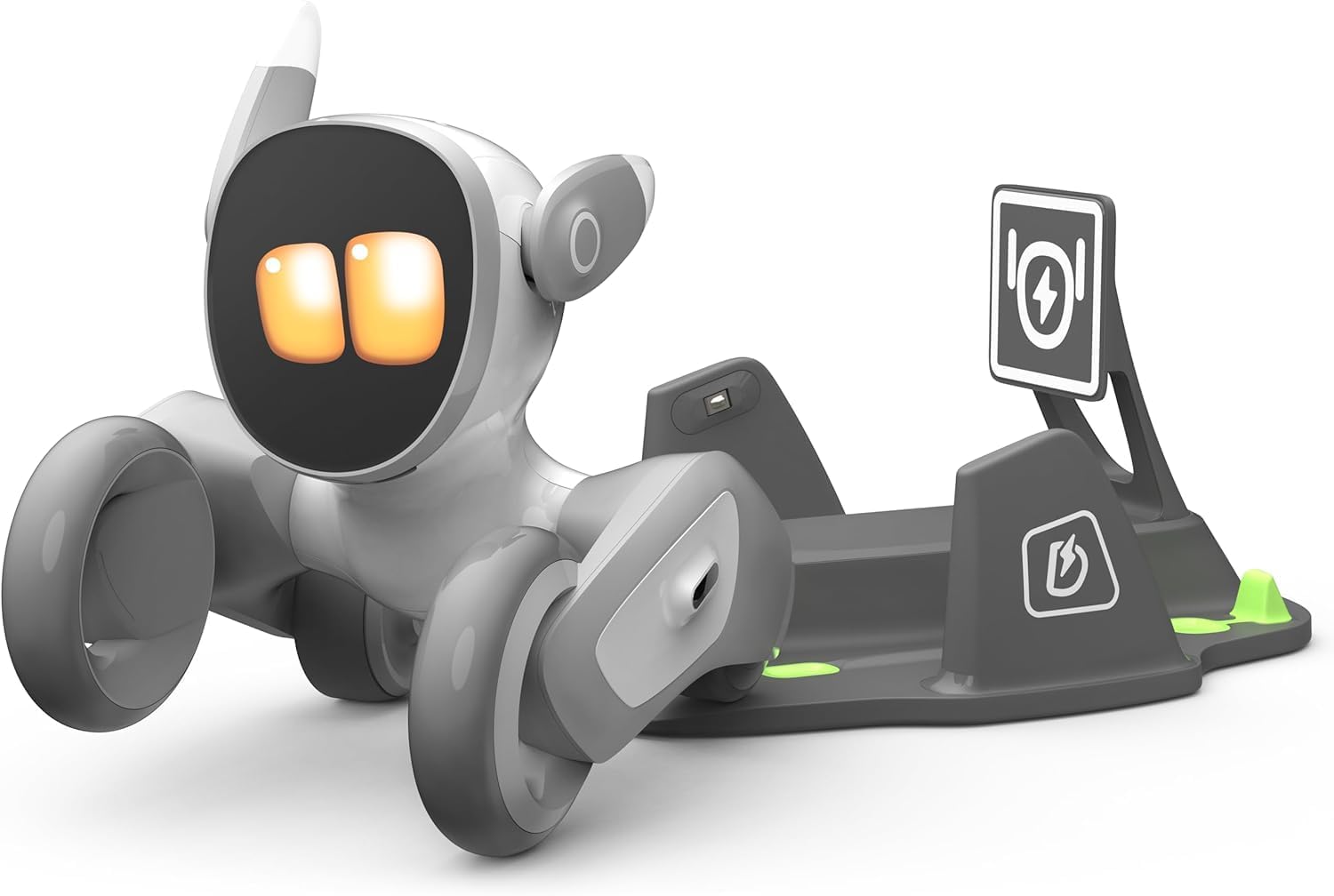
Loona (V24 with charging dock)
Best fit for robot-pet play. Moves, reacts and plays games; Blockly programming; 6+ on the Amazon.ca listing. Listing verified; check current offers and seller terms.
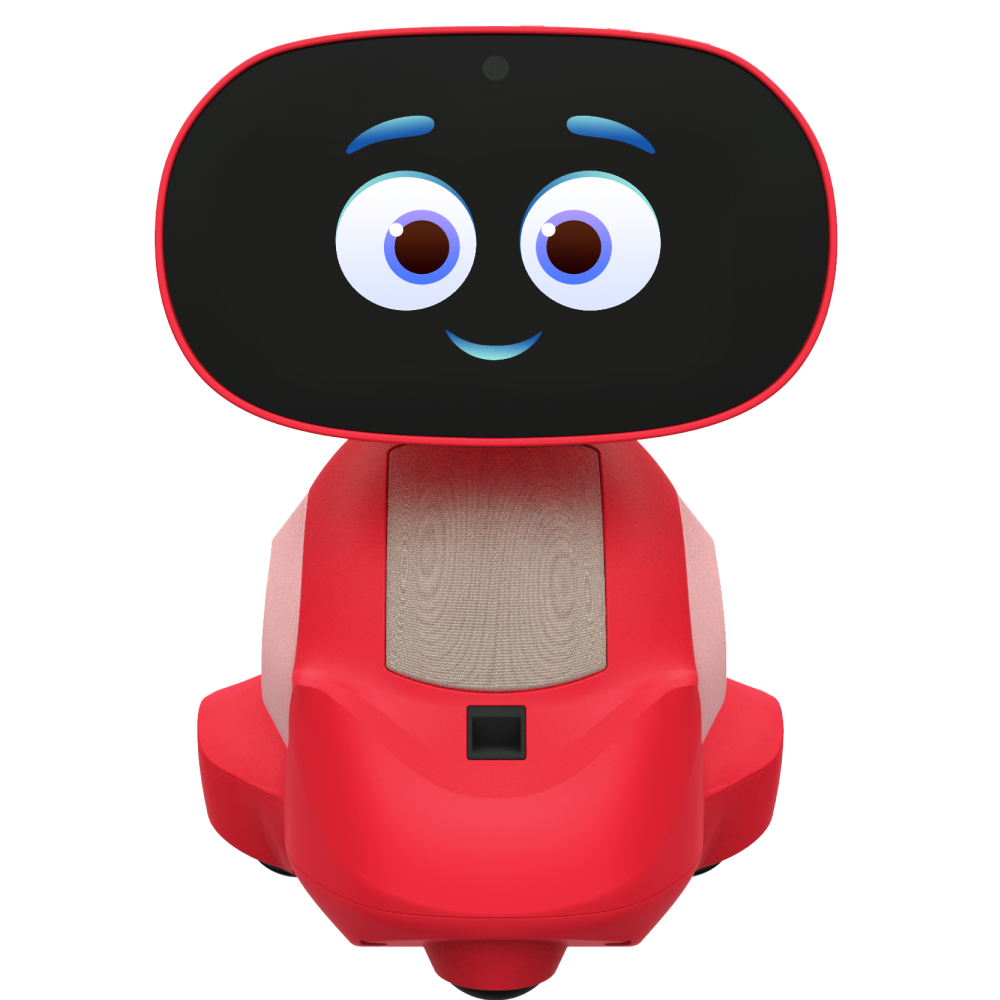
Conditional pick for touchscreen activities. Ages 5–10 (maker); security updates guaranteed to December 31, 2027. Red reference image; Canadian listings found were blue.
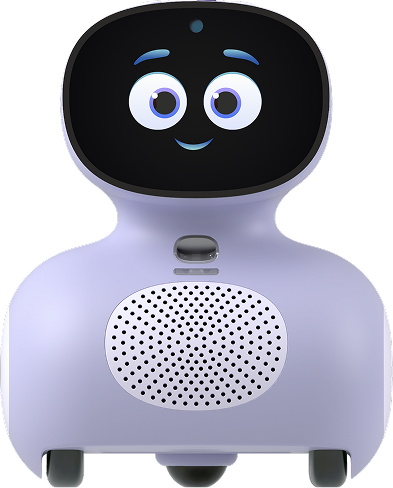
Watchlist: smaller, voice-first. Ages 5–10 (maker); security updates guaranteed to November 30, 2027. No verified new-stock Canadian offer yet.
Buying a robot for a child starts with a practical question: what will they actually do with it after the first afternoon?
Some children want a moving robot pet. Others want stories and games. A child who wants to build machines and write programs needs a different kind of product. The word “AI” does not tell you which experience is in the box—or how much of it depends on an app, subscription or online service.
This guide compares Loona, Miko 3 and Miko Mini for Canadian families, with availability limitations made explicit. It sits within our Home Robots in Canada collection.
The Canadian shortlist at a glance
| Robot | Best fit | Age guidance | Canadian buying position | Main ownership question |
|---|---|---|---|---|
| Loona Petbot Premium | Family robot-pet play, movement and interactive games | Amazon.ca V24 listing says 6+; confirm for the exact manufacturer bundle | KEYi Canada page showed C$609 for the Premium bundle; Amazon.ca: C$599.20, in stock (Nov 5)—check the current offer | Will the family use the movement and games enough to justify the price? |
| Miko 3 | Touchscreen activities and conversation for a younger school-age child | Manufacturer marketing: 5–10 | Canadian listings found, but no reliable in-stock checkout verified | Are the remaining support period and premium-content charges acceptable? |
| Miko Mini | Smaller, voice-first alternative to Miko 3 | Manufacturer marketing: 5–10 | New-stock Canadian offer and Amazon.ca listing unresolved | Is the delivered price attractive enough after subscriptions and support limits? |
Sources: manufacturer product pages, Canadian retailer evidence and Amazon.ca listing details. [1][5][6][7][11][12] The Loona price is a dated manufacturer snapshot, not an Amazon price, a delivered total or a guaranteed holiday deal. Miko's US-dollar pages should not be read as Canadian-dollar offers.
Loona: the strongest fit for robot-pet play
Loona's appeal is physical: it rolls, reacts and plays in a room. The manufacturer lists a camera, microphones, interactive games and Google Blockly programming. That makes it worth examining for a child who wants to interact with a moving character. It does not establish the depth of a coding curriculum or guarantee educational progress. [1]
Choose it when the robot itself is the activity. An open play area, an accessible charging position and a parent willing to help with setup are more valuable than buying extra themed accessories immediately.
The current Premium bundle includes a charging dock and game props. KEYi says its core experience currently has no mandatory monthly subscription; that is not a guarantee that every connected feature will remain free indefinitely. Its Canadian shipping policy identifies Canada as a supported destination. Confirm postcode delivery, charges and the selected package at checkout. [2][3]
Where to look: Check the Canadian Loona bundle or check Loona's Amazon.ca listing. The Amazon title identifies V24 with a charging dock and its description mentions V28 updates; don't read those labels as two different physical models, and don't assume the listing is the identical package to KEYi's current Premium offer. [5]
Skip it if you mainly want structured programming projects or would be disappointed if the child uses it as an entertaining toy rather than a learning tool. That is a purchasing-fit judgement, not a negative test result.
For more pet-style options, see our robot pets in Canada guide.
Miko 3: consider the activity format—and the support horizon
Miko 3 puts a touchscreen at the centre of the experience, alongside conversation, stories, games and movement. Its camera and microphones are relevant to both interaction and privacy. The manufacturer positions the current product for ages 5–10. [6]
The stronger case for buying one is a child who already enjoys short guided activities and specifically wants them delivered through a robot. It is less persuasive when the hope is that a premium toy will automatically improve school performance or replace an adult's help.
Before comparing discounts, read the support note in the quick answer. Security-update support is tied to product launch, not a fresh four-year period starting with your purchase. We would not build a multi-year value calculation around uninterrupted service beyond that published commitment. [8]
Canadian purchasing needs another check. A Walmart.ca page displayed C$340 but was out of stock. A RobotShop Canada search result also showed C$340, but opening the product page returned a 404 during our research. Neither is a verified buy-now offer, and we found no Miko robot on Amazon.ca—only accessories. [11][12]
For now, review Miko 3's current manufacturer details and verify a Canadian seller before paying. Keep the robot price, subscription price and Canadian delivery total separate.
Our recommendation: consider it only if the child wants this particular activity format and the price, return terms and remaining support commitment make sense together. If you want a robot you can order today, compare it with Loona on Amazon.ca.
Miko Mini: a conditional lower-cost alternative
Miko Mini uses a smaller, voice-first format. It still has a display, camera and microphones; “voice-first” should not be interpreted as “camera-free.” It is marketed for the same 5–10 age range. [7][13]
Its place in this guide is conditional because Canadian availability was less straightforward than the product's international marketing suggests. We found liquidation and local-pickup listings, but those are not interchangeable with a new, nationally delivered product carrying clearly applicable support and return terms. For example, one Canadian liquidation listing explicitly described damaged-box stock. [14]
Avoid using an old Costco deal screenshot as today's price. A bundled subscription may also depend on activation eligibility; a second-hand or clearance unit is not proof that an advertised trial remains available.
Our recommendation: check Mini's current manufacturer information, then consider it only after confirming the exact Canadian offer. It is not our default recommendation for a Christmas gift intended to last several years.
Subscriptions: budget for the experience your child wants
Miko Max is optional, but the difference between included and paid content is material. Miko's current comparison shows full free access to some activities, restricted access to others, and premium-only content. It also distinguishes app locking from broader controls and reporting. Do not assume either that everything is free or that every parental control requires payment. [6]
The Canadian iOS App Store currently lists C$129 for Miko Max yearly and C$19 for Miko Max monthly. These are channel-specific prices checked on November 5; Android, direct purchases, promotions and applicable tax can differ. [9]
At those listed prices, twelve monthly payments total C$228, which is C$99 more than one annual payment. Monthly billing may still suit a short trial of the product. An annual plan makes sense only if the family expects to use the paid features and accepts the support horizon.
Record the renewal date for any promotional period and read the actual checkout terms. “Free trial” describes a starting period, not the whole ownership cost.
First-year robot budget calculator
Use this to compare the money you expect to pay in the first 12 months. Enter Canadian-dollar amounts from the offer you would actually buy: the robot or bundle price, extra accessories you genuinely need, shipping and import charges, total tax, and subscription payments expected during the first year.
First-year budget = hardware + accessories + shipping/import charges + tax + subscription payments.
Do not add the charging dock twice when it is already in the selected bundle. Do not convert a US-dollar price in your head and treat it as a Canadian delivered quote. Use pre-tax amounts plus total tax, or tax-inclusive amounts with tax set to zero—not both.
Worked example—illustrative, not a product offer: C$350 hardware + C$40 accessories + C$20 delivery + C$45 total tax + C$129 subscription = C$584 for the first year. Changing the subscription input to C$228 (12 × C$19) makes the total C$683. The difference is C$99, holding the other inputs constant; adjust tax separately when it changes.
This is a purchase-budget estimate. It does not predict a child's interest, resale value, repair costs, electricity consumption or how long an online service will operate. The interactive calculator on this page needs JavaScript.
Cameras, microphones and children's information
Both product families need a deliberate setup decision, rather than an assumption that a toy category guarantees privacy.
Miko: its privacy policy describes parental consent, child-profile information and voice processing. It says children's voice recordings are deleted after processing and transcription; that does not mean every profile detail or derived record is immediately deleted. Review the camera/microphone controls and the account-deletion process before handing it over. These are the company's disclosures, not an independent security audit. [10]
Loona: the robot/app policy linked from the Canadian App Store describes collecting voice-command information, storing facial features on the robot, and handling account and device information. It says processing servers may be outside the user's country and requires parental consent for users under 16. The linked policy is dated September 2023; confirm the current in-app version during setup. We did not verify a separate current retention period covering every AI-chat feature. [15]
Use a shared play space initially, explore the controls together and avoid entering sensitive family information into a conversation. Explain that the robot can generate entertaining responses without understanding a child the way a person does. Check factual answers together when accuracy matters.
Is an AI robot a good Christmas gift?
It can be, when the gift matches an interest the child already has. A child asking for a robot pet has a more specific use case than a child who simply likes the idea of “AI.”
Before buying, ask the child to describe three things they want to do with the robot. Compare those activities with what the base package actually includes. This is a more useful value test than counting advertised features.
- Confirm the parent's phone can install the required app, and check the home network requirements for the exact model.
- Charge the robot using its specified equipment, install updates and complete the parent/account setup. Allow time for troubleshooting instead of promising instant play.
- Check consent, camera, microphone, community and purchase settings. Try the functions the child expects.
- Keep the packaging, receipt and accessories. Verify whether the return period starts at delivery and whether opening or activating the device changes the terms.
A return window matters more for a connected toy than a vague promise that it will be “fun for years.” Miko's product-page return marketing and detailed refund policy are not equally broad: the policy describes qualifying warranty claims rather than an unconditional change-of-mind trial. Obtain the actual seller's terms for the transaction. [16]
Loona's published one-year limited warranty applies under its eligibility rules, including direct or authorised purchases; a low marketplace price alone does not establish coverage. Check who will handle a Canadian return and any return-shipping cost—on the Loona Amazon.ca listing, that means checking the seller shown for your offer. [4]
AI companion, robot pet or coding robot?
| What the child wants | What to prioritise |
|---|---|
| A moving, expressive pet-like toy | Movement, games, charging, space and repeat play |
| Conversation, stories and short activities | Content access, parental controls, subscription and support terms |
| To write programs and build projects | The actual editor, supported languages, sensors, project progression and expansion |
If the child mainly wants to write programs, compare our coding robots for kids ages 8–12 guide. For a child who already loves building with LEGO, see our robotics gifts for LEGO-loving kids guide.
These categories can overlap. Loona, for example, advertises Blockly, but that alone does not prove it offers the progression a dedicated coding kit provides. Look at the available projects rather than treating every use of “STEAM” as the same educational experience.
Also compare exact configurations. Eilik with an AI Station is a different purchase from standalone Eilik: the station is sold separately and adds connected conversational functions. We have not treated that combined configuration as a verified child-focused recommendation in this article. [17]
Our verdict
Loona is the clearest Canadian buy for robot-pet play: choose it when the child wants a moving character and the family has space and patience for setup. Confirm the exact bundle, seller and return terms before paying. Miko 3 is a conditional choice for touchscreen activities once a Canadian seller, subscription plan and the 2027 support horizon all make sense together. Miko Mini stays on the watchlist until a new, nationally delivered Canadian offer with clear support terms appears.
Check Loona listing on Amazon.ca · Check the Canadian Loona bundle at KEYi
Frequently Asked Questions
What is the best AI robot for kids in Canada?
For a child who wants a moving robot pet, Loona is the clearest current Canadian buy: KEYi sells it on a Canadian-priced store that lists Canada as a shipping destination, and its Amazon.ca listing is verified. Miko 3 suits a child who wants touchscreen activities, but Canadian stock and its published security-update horizon make it a conditional purchase.
Is Miko 3 being discontinued?
Miko has not announced a shutdown date in its terms. Its terms list guaranteed security-update support through December 31, 2027 for Miko 3 and November 30, 2027 for Miko Mini. That is the end of guaranteed updates, not a confirmed end of service, but it matters for a gift meant to last several years.
Can my child use an AI robot independently?
A child may run familiar activities after setup, but an adult should own the account, purchases and privacy choices. A product age recommendation does not remove the need to check content and supervise as appropriate. App Store age labels describe the app, not the physical product.
Do kids’ AI robots work without the internet?
Do not assume every advertised feature works offline. Miko setup uses Wi-Fi and an app, and Loona also uses an app and connected services. Ask which activities still work during an outage before buying for a disconnected location.
Which AI robot is best for learning to code?
This shortlist is about AI interaction and companion play. Loona advertises Google Blockly, but that does not prove the project progression of a dedicated coding kit. If coding is the goal, choose around the editor, supported languages, sensors and projects first.
How much does a Miko Max subscription cost in Canada?
On November 5, 2026 the Canadian iOS App Store listed Miko Max at C$129 yearly or C$19 monthly. Twelve monthly payments total C$228, which is C$99 more than one annual payment. Android, direct purchases, promotions and tax can differ.
How we selected these candidates
We prioritised meaningful robot purchases with recognisable models, documented features and a plausible Canadian buying route. We checked manufacturer information, Canadian storefronts, subscriptions and product privacy/support documents. Availability is a selection criterion, which is why Mini is conditional and why a live product page is not automatically described as in stock.
This is a documentation-based buying guide. We did not measure speech recognition, battery life, floor navigation, durability, educational improvement or long-term engagement. Our buyer-fit recommendations are editorial judgements based on the documented format, costs and limitations. Affiliate eligibility does not establish product quality.
More related guides: Home Robots in Canada · Best Robot Pets in Canada · Best Coding Robots for Kids Ages 8–12 · Robotics Gifts for LEGO-Loving Kids · Loona vs Miko 3 in Canada · AI Robot vs Coding Robot.
Sources
All sources checked November 5, 2026. No hands-on testing of any robot.
- KEYi Robot Canada: Loona Petbot Premium — selected bundle, hardware and features (C$609 latest snapshot; C$608 earlier the same session; dynamic pricing).
- KEYi Robot Canada: shipping policy — Canada listed as a destination (not proof of every postcode or holiday arrival).
- KEYi Robot: Loona price guide (October 19, 2026) — bundles and current core-subscription explanation; its non-Canadian dollar prices are not CAD.
- KEYi Robot Canada: limited warranty policy and eligibility.
- Amazon.ca: Loona V24 with charging dock, ASIN B0DCF53PCH — title, ASIN, age field and images verified; C$599.20, in stock, sold by Loona Petbot (Nov 5 recheck).
- Miko: Miko 3 product page — age range, interaction, setup and base vs Miko Max features (USD page; not Canadian price or stock).
- Miko: Miko Mini product page — positioning and age range (USD page; no confirmed Canadian offer).
- Miko: Terms and conditions, sections 26–27 — security-update support and product lifecycle.
- Apple App Store (Canada): Miko app — In-App Purchases table, C$129 yearly / C$19 monthly Miko Max.
- Miko: Privacy policy, updated March 30, 2026 — robot and app data practices.
- Walmart.ca: Miko 3 (blue) — C$340 displayed, out of stock, seller MIKO2.
- RobotShop Canada: Miko 3 product URL — indexed at C$340 but returned HTTP 404 when opened.
- Miko: PDPA compliance page — Mini display and camera description (see also miko.ai/pages/miko-mini-vs-moxie).
- Canada Wide Liquidations: Miko Mini listing — damaged-box condition stated.
- KEYi Robot: Loona robot/app privacy policy linked from the Canadian App Store (last updated September 1, 2023).
- Miko: Refund policy (same combined shipping/warranty/return text as the shipping policy).
- RobotShop Canada: Eilik AI Station — sold separately; Eilik not included.
- Apple App Store (Canada): Hello Loona app — connected control and programming description.